
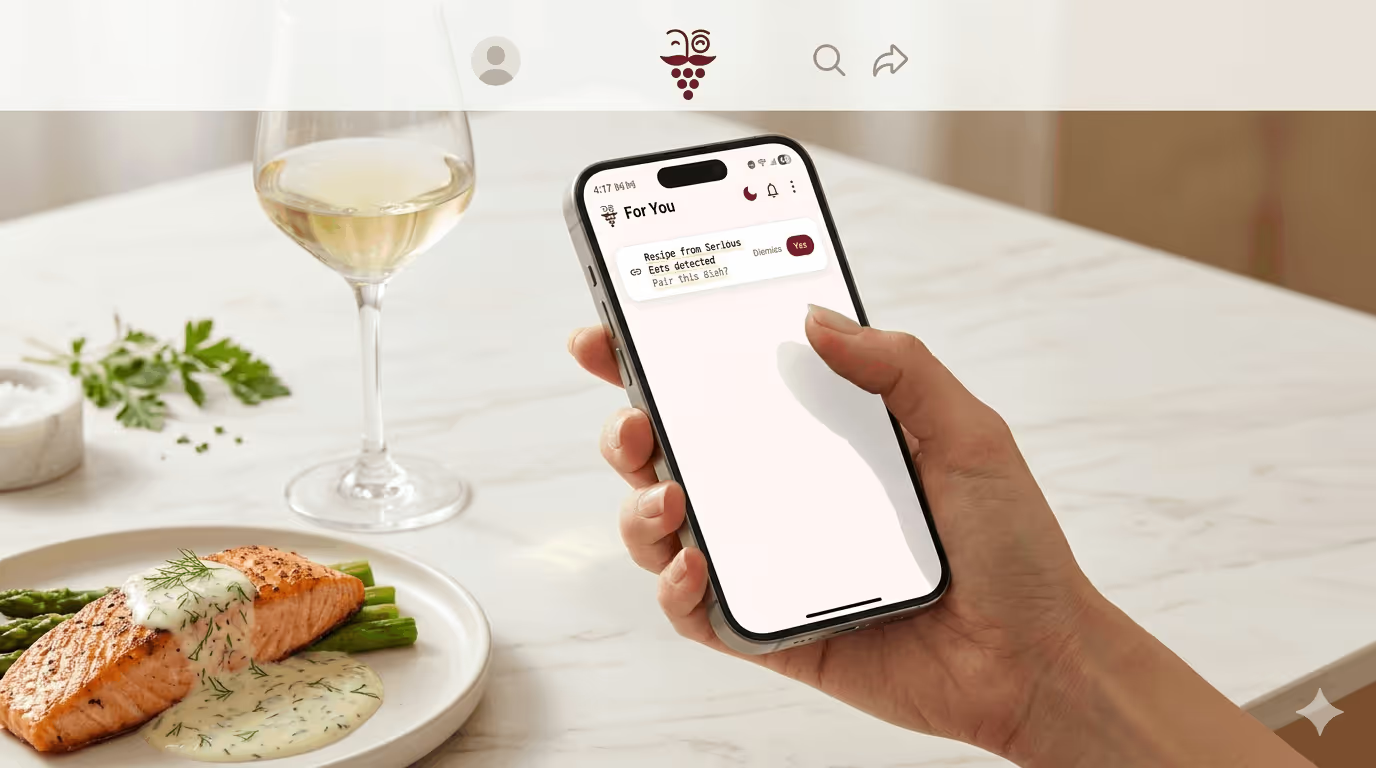

You're standing in the kitchen. Something good is happening on the stove, short ribs braising low and slow, or a risotto that needs another twenty minutes. You open the wine cabinet and stare. Nothing announces itself. You Google "wine with braised beef" and get a listicle that tells you Cabernet Sauvignon, full stop. That's not actually helpful.
Sommy's new recipe feature, solves this differently. Share the recipe you're cooking, any URL from any recipe site, and Sommy reads the dish, understands what's in it and how it's being cooked, and tells you exactly what to open tonight. With a reason. In plain language.
TL;DR
- Share any recipe URL to Sommy, via the iOS/Android share sheet, clipboard detection, or paste it straight into chat
- Sommy reads the dish's ingredients, cooking method, and flavor profile to generate a personalized wine pairing
- You get a narrative recommendation explaining why the wine works, plus three options across price points
- Save the pairing to your wine memory so you remember what worked next time you make the dish
What Is Sommy's Recipe Import Feature?
Sommy's recipe import lets you share any recipe URL and receive a personalized wine pairing recommendation in seconds. Rather than matching a keyword like "beef" to a generic grape variety, Sommy reads the whole dish, the cooking method, the key ingredients, the sauce, the richness, and generates a recommendation with a real explanation. It's the difference between a lookup table and a friend who cooks.
How Do You Share a Recipe with Sommy?
Three ways, depending on where you are when you decide what's for dinner.
The share sheet (fastest)
When you're browsing a recipe on NYT Cooking, Serious Eats, or basically any recipe site, tap the share button and select Sommy. The app opens already working on your pairing, you don't tap anything else. The share action is the confirmation.

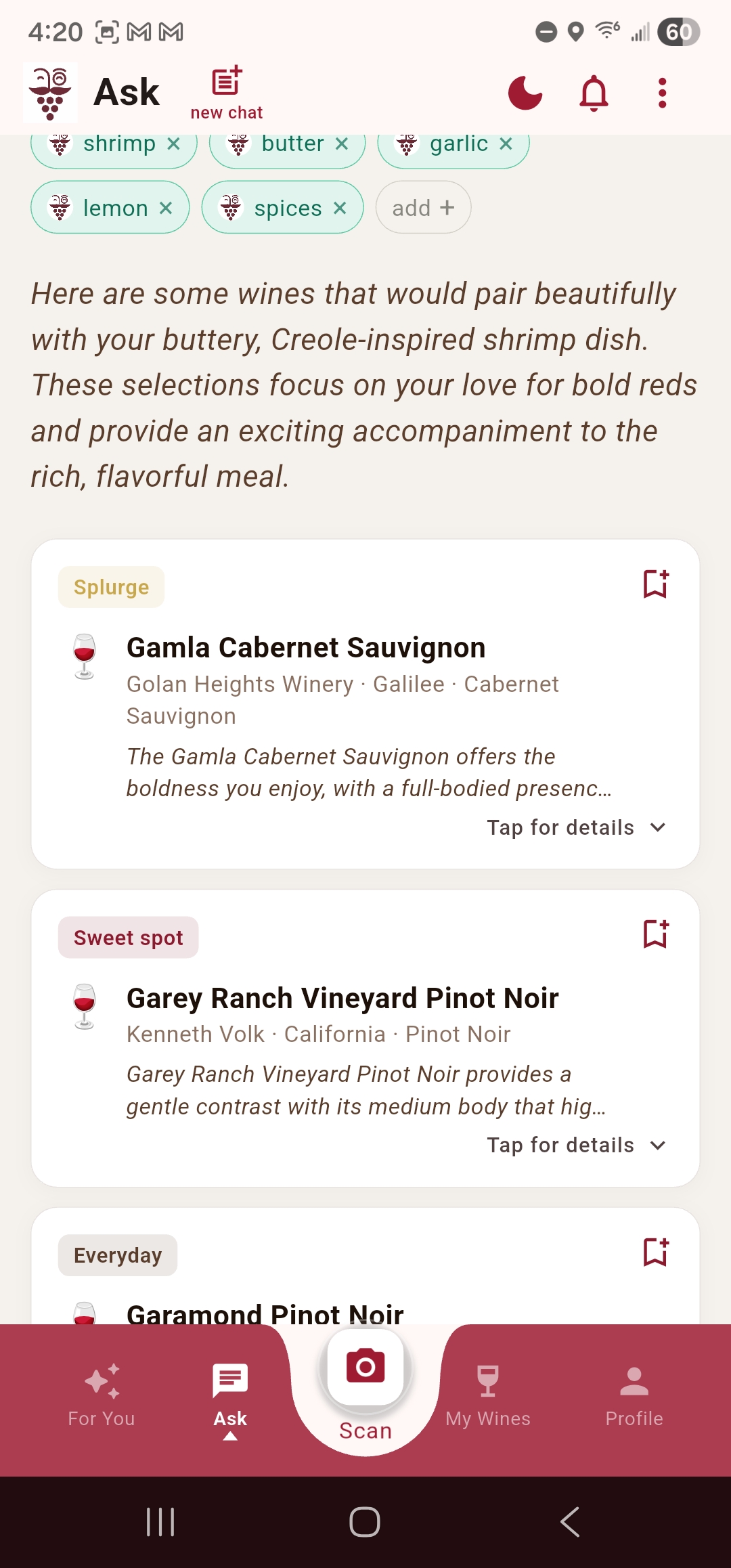
Scroll down to see wine recommendations, tap the wine cards for more details.
Clipboard detection
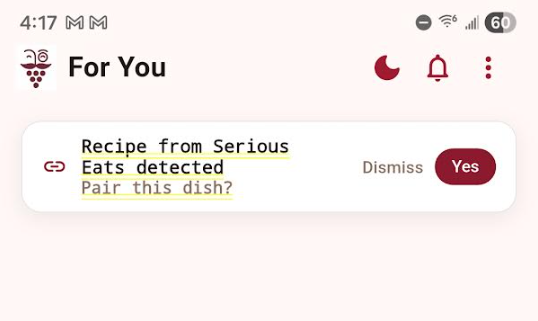
Copy a recipe URL and open Sommy. If it looks like a recipe link, a small nudge appears at the top of the chat: "Recipe from Serious Eats detected, pair this dish?" One tap. Dismiss it if you don't need it. Sommy only offers this once per URL and never acts on it without you tapping yes.
Paste it in chat
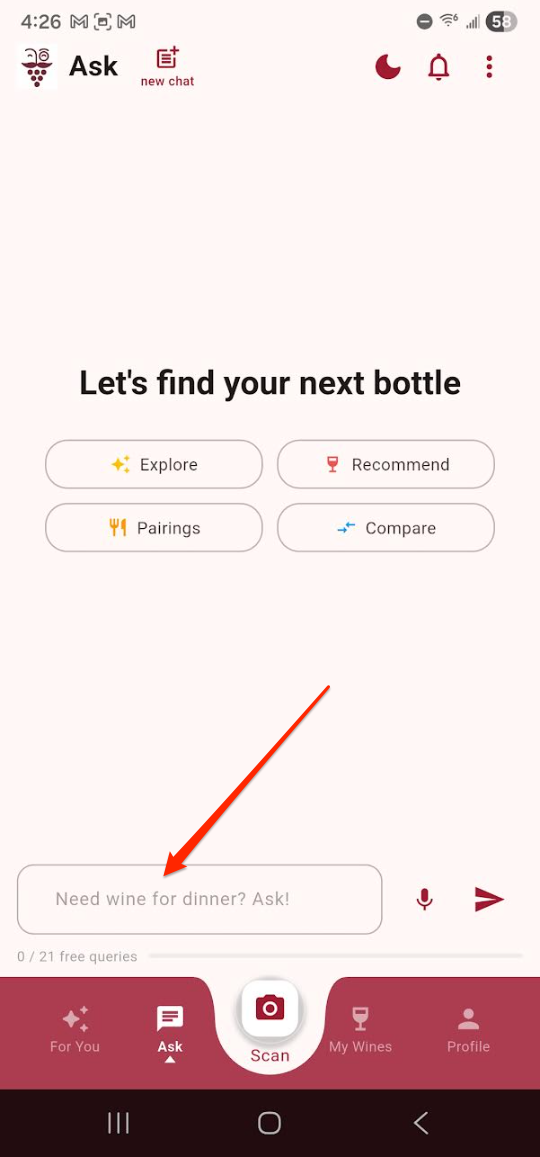
Drop the URL directly into the chat input. Sommy recognizes it and shifts into recipe mode naturally, no special command needed.
What Does Sommy Actually Do With the Recipe?
Sommy extracts the pairing-relevant parts of the dish: the key ingredients (not every single one, just the ones that actually influence what wine you should drink), the cooking method, the richness level, and the sauce character if there is one. A braised short rib dish with red wine and thyme reads very differently from grilled short ribs with chimichurri, even though the protein is the same.
From that, Sommy generates a recommendation in three stages:
First, the dish appears on screen with the hero image and a row of ingredient chips, a quick confirmation that Sommy read it correctly. If something's wrong, you can tap to edit before the pairing runs.
Then, while the recommendation processes, Sommy says something specific to your dish. Not a loading spinner. Something like: "Short ribs in a red wine braise, this is a serious plate. Let me think about what stands up to it..."
Then the recommendation lands. Narrative first, wine options second. The prose explains the pairing logic in Sommy's voice, what the dish's dominant character is, why the suggested wine works, what it will taste like next to the food. The wine cards come after, not instead of, the explanation. That order is intentional. The narrative is the point.
Why Does Sommy Give You Three Wine Options Instead of One?
Because "make braised short ribs on a Tuesday" and "make braised short ribs for a special occasion" call for different answers, even though the dish is identical.
| Tier | What it's for | Example (short ribs) |
|---|---|---|
| Everyday | Tuesday dinner, no occasion needed | Malbec from Mendoza |
| Sweet Spot | Weekend cooking, worth a little extra | Côtes du Rhône |
| Splurge | The dish deserves it | Barolo |
Three tiers removes the decision anxiety of a single answer while still giving you a real recommendation at each level. Sommy also tells you why each one works, the Barolo because Nebbiolo's firm tannins and dark fruit echo a rich wine braise; the Malbec because its plum character and softer structure are more forgiving and just as satisfying on a weeknight.
What If the Recipe Site Is Behind a Paywall?
This is the most common question, and it comes up because NYT Cooking is behind a paywall and a lot of people use it. Sommy handles it gracefully: if the full recipe can't be read, it works from the dish's preview image and whatever is publicly visible. The pairing quality is slightly lower than a full parse, but you still get a real recommendation.
If even that fails, Sommy asks you to paste the ingredients directly. Thirty seconds of copying and you're back in business. For dishes you're making from memory, something you know by heart and don't have a URL for, just describe it in chat. "I'm making a spicy pork ragu with fennel" works exactly the same way.
Sommy handles most major recipe sites natively: NYT Cooking, Serious Eats, Bon Appétit, Food52, Epicurious, AllRecipes, Smitten Kitchen, and over 500 others. If you're cooking from a niche food blog that Sommy can't parse automatically, the paste-ingredients fallback is there.
Does Sommy Remember What You Paired?
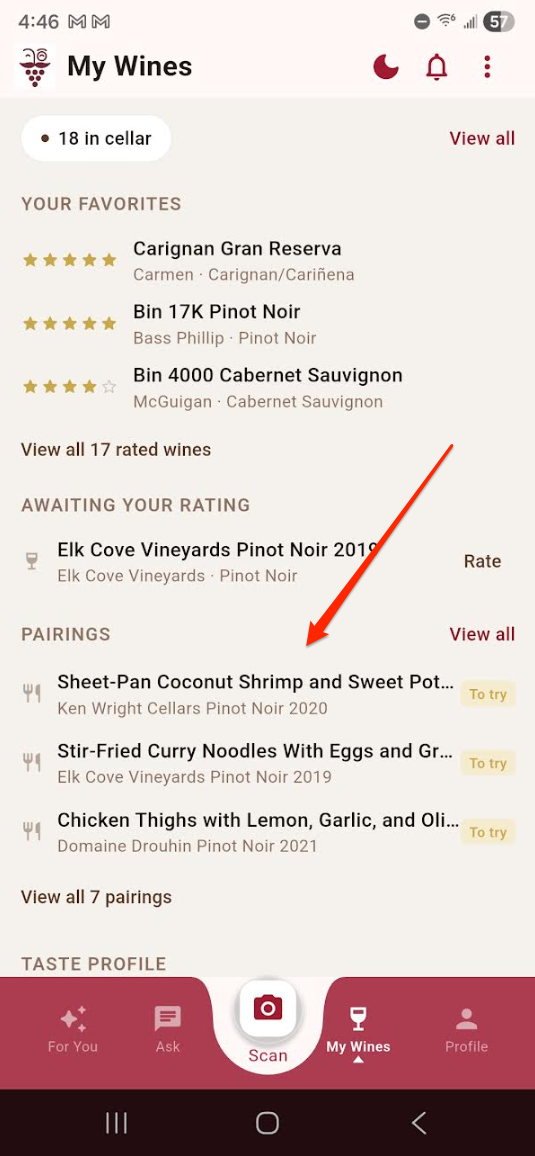
Yes, and this is the part that gets more useful over time. After the recommendation, you can save the pairing to your wine memory. What gets saved isn't just the wine. It's the dish, the recipe source, the wine, Sommy's narrative, and the occasion. "That Barolo I had with the short ribs at the dinner party in March", that's the memory, and it's all there.
Saved pairings live in two states: Want to Try (saved from the reveal screen, before you've actually made it) and Tried It (after you've cooked and poured and rated it). Moving a pairing from one to the other is a small moment that's worth capturing, it turns your collection from a wishlist into a record.
For more ideas on specific pairings before you try the feature, our wine pairing guide for Indian food and lamb pairing guide show the kind of dish-specific reasoning Sommy brings to any cuisine. And if risotto is on the menu, this one is worth a read.
Frequently Asked Questions About Sommy's Recipe Feature
Does the recipe feature work with any recipe site?
It works with most major sites natively, NYT Cooking, Serious Eats, Bon Appétit, Food52, Epicurious, AllRecipes, and many more. For paywalled content, Sommy works from the preview. For anything else, paste the ingredients into chat and the pairing engine runs the same way.
Does it use my Palate Profile to personalize the recommendation?
Yes. If you've rated wines in Sommy and built up your Palate Profile, the recipe recommendations factor in what you actually enjoy, not just what pairs objectively well with the dish. Someone who prefers low-tannin, high-acid wines will get different specific recommendations than someone who drinks big bold reds, even for the same recipe.
Can I use it for dishes I'm cooking from memory?
Absolutely. Just describe the dish in the chat input, the main protein or vegetables, the cooking method, any dominant flavors or sauces. Sommy treats that the same as a parsed recipe URL. "Spicy pork ragu with fennel and crushed tomatoes" is enough to get a real recommendation.
Is the recipe feature free?
The recipe import feature is available on Sommy's Pairing tier and above. If you're on the free tier, you can still ask Sommy about food and wine pairing in chat, the full recipe URL import with the phased reveal and pairing memory is a Pairing feature.
What if I want to adjust the recommendation?
After Sommy's recommendation lands, tap "Ask Sommy something" to open a focused chat with the recipe already as context. "What if I can't find Barolo?" or "Is there a good white option?" or "What's similar?", Sommy keeps the dish in mind for the whole conversation.
The next time you're mid-cook and the wine question hits, you don't have to guess. Share the recipe, or just describe what's on the stove, and Sommy will handle the rest.
Download Sommy and try it with whatever you're making tonight.