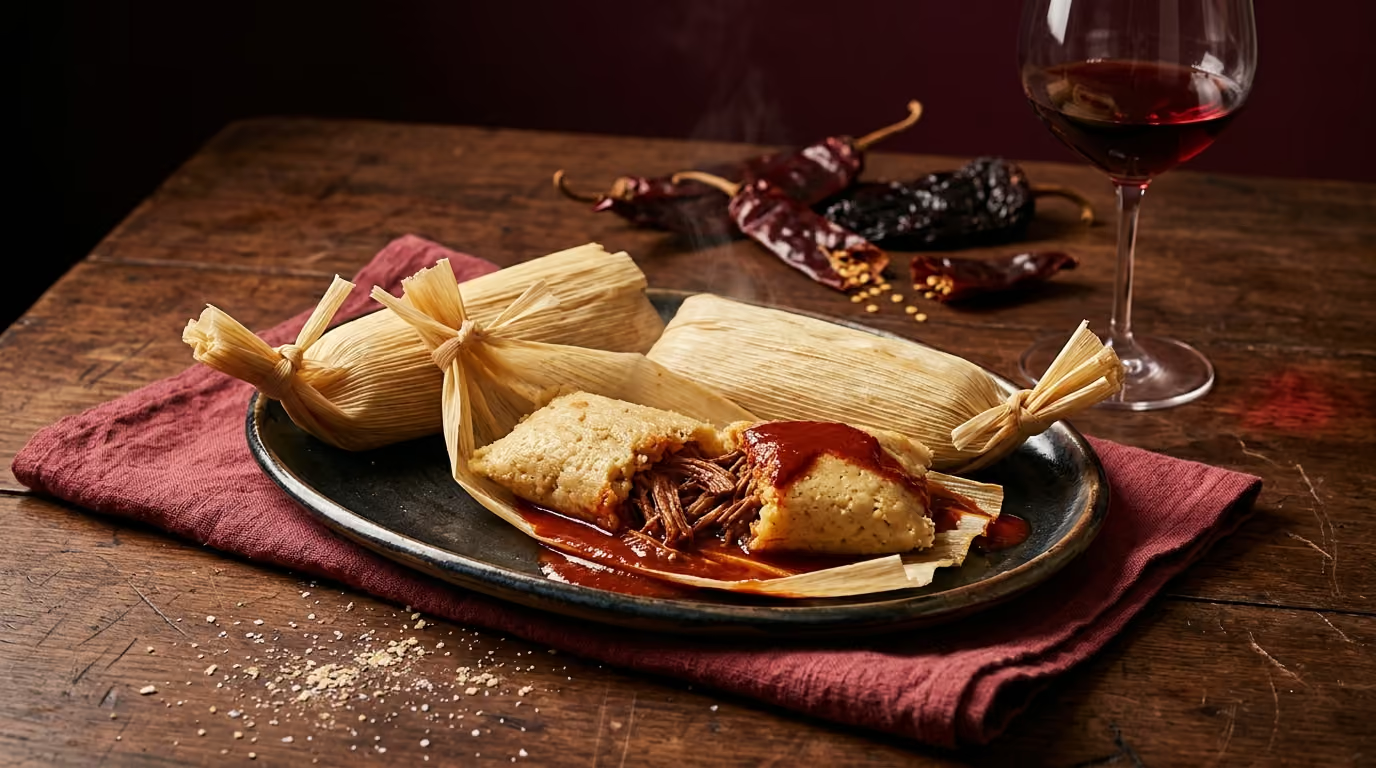

You're halfway through prepping dinner. The cookbook is open on the counter, the duck breasts are out, and you have absolutely no idea what to open. The recipe doesn't come with a URL. It's just a page in a book.
Until now, that was a dead end for Sommy. Not anymore.
TL;DR
• Tap the new Recipe tab on Sommy's Scan page, point your camera at any cookbook page, and get a wine pairing in seconds
• The shutter turns gold when Sommy has read enough text to work with, that's your cue to tap
• If the page is blurry or the print is small, Sommy won't be able to read it, move in closer or use the "Choose from album" option instead
• Works with cookbooks today, and we're testing it with restaurant menus now
What Is Sommy's Recipe Scan Feature?
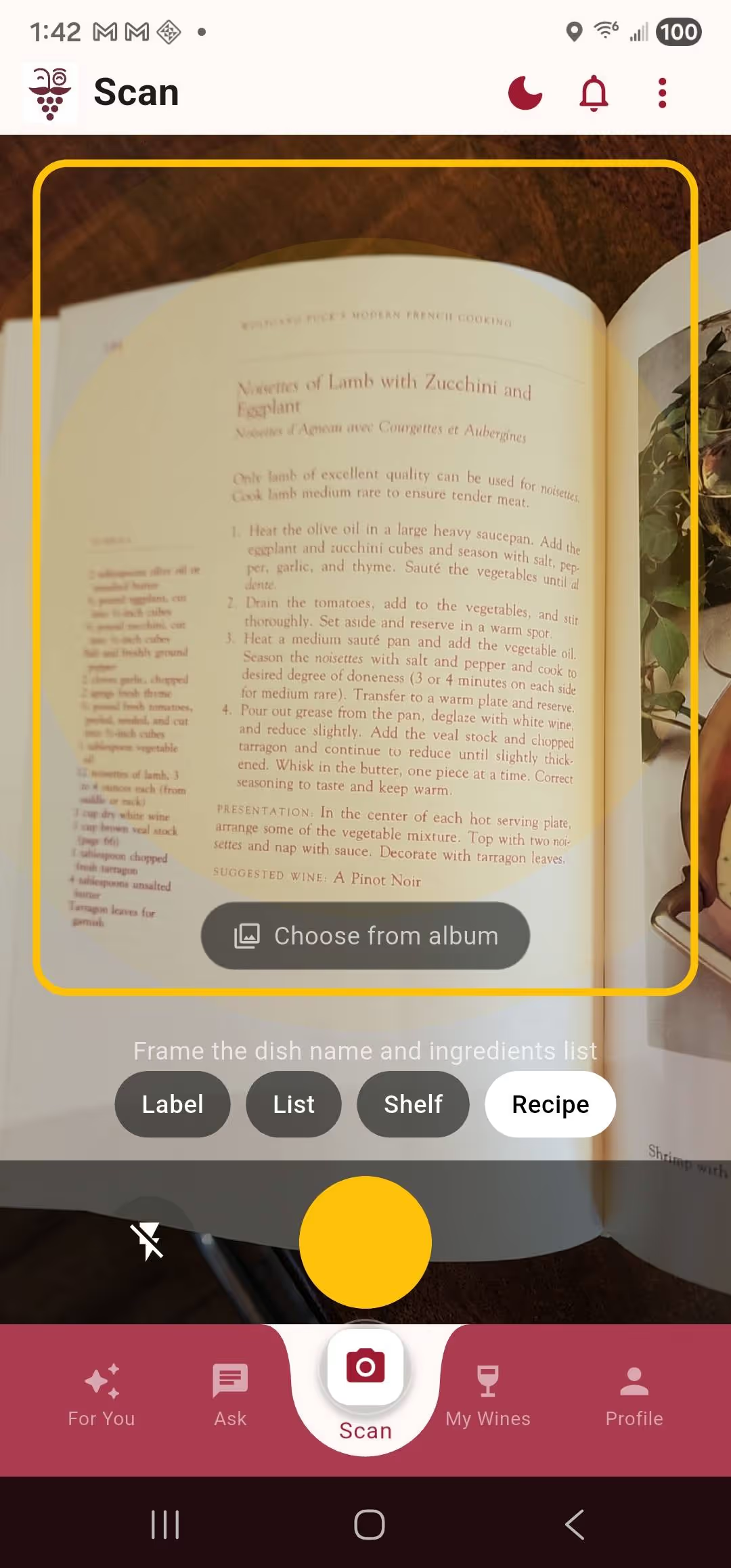
Recipe Scan is a new scan context on Sommy's Scan page, sitting alongside Label, List, and Shelf — 4 scan contexts in total. Point your camera at any cookbook page, or any printed recipe, and Sommy reads the dish name and ingredients, then recommends the right wine to open. No URL required. No typing. Just the page in front of you.
How Do You Use It?
Tap the Recipe tab at the bottom of the Scan screen. The framing hint changes to "Frame the dish name and ingredients list", that's what Sommy needs to work with. Hold your phone steady over the page.
Watch the shutter button. When Sommy has detected enough text to generate a pairing, it turns gold. That's your cue to tap.
One thing to know: if the shutter isn't turning gold, it usually means one of two things. Either the page is at an angle and the text is distorted, or the print is small enough that the camera can't resolve it clearly. Move the phone closer, make sure the page is flat, and try again. The gold shutter is Sommy telling you "I've got this."
After you tap, a confirmation card appears showing what Sommy read, the dish name and cuisine. Both are editable. If it picked up a chapter title instead of the actual recipe name, fix it here before the pairing runs. Then tap Find my wine.
Sommy comes back with three options: an Everyday pick for a Tuesday night, a Sweet Spot for when it's worth spending a little more, and a Splurge for when the dish deserves it. Each comes with a short explanation of why it works with what you're cooking.
For duck with peaches, rich, slightly sweet, with that balsamic glaze, Sommy lands on wines that can handle the fat and the fruit without getting steamrolled. A good Pinot Noir for the everyday pick. Something from the northern Rhône, like a Crozes-Hermitage, if you're going all in.
What If Your Recipe Is a Photo or Screenshot?
Below the shutter button, in Recipe mode only, you'll see a "Choose from album" button. Tap it to pull a photo directly from your camera roll. It runs through the same process, OCR, dish confirmation, pairing, without needing the live camera.
This is useful if you photographed a page earlier, screenshotted a recipe from a website, or have an image of a handwritten recipe card. The handwritten card case is trickier, printed text reads more reliably, but if the handwriting is clear and the ingredients are legible, it often works.
The same gotcha applies to album photos: if the image is blurry, too dark, or shot at a steep angle, Sommy won't be able to read it. A well-lit, flat-on photo of a recipe page is what you want.
What Do You Get After Scanning?
The pairing reveal is exactly the same as Sommy's recipe URL share feature, three price-tiered wine recommendations with a short narrative explaining the pairing logic. Sommy names the dish's dominant character (the richness, the acid, the fat), tells you why the wine works with it, and gives you a specific bottle to look for at each price point.
If a pick lands right, save it. The pairing gets stored in your wine memory alongside the dish, so "the Pinot I had with that duck recipe" is findable later, not just a vague memory.
How Is This Different from Sharing a Recipe URL?
They're companion features designed for different situations. Recipe URL sharing is for when you're browsing NYT Cooking, Serious Eats, or any recipe website, share the link and Sommy fetches the full recipe automatically. Recipe Scan is for everything else: cookbooks, printed recipe cards, restaurant menus, and anything that doesn't have a URL.
Between the two, pretty much every pairing situation is covered. Cooking from the internet or cooking from a book, Sommy can handle both.
We're testing Recipe Scan with restaurant menus now. The experience there is a little different, menus don't list ingredients the way recipes do, but it's coming.
Frequently Asked Questions About Recipe Scan
Does it work with handwritten recipe cards?
It can, if the handwriting is clear and the card is well-lit. Printed text reads more reliably because the letterforms are consistent. Handwritten cards in neat block letters tend to work better than flowing cursive. If Sommy can't read it, the confirmation card will give you a chance to correct what it picked up, or you can type the dish name in directly.
What if it reads the wrong dish?
The confirmation card appears before the pairing runs. The dish name and cuisine are both editable, so if Sommy picked up a section header instead of the recipe title, you can fix it right there. Tap the field, type the correct name, and the pairing runs from there.
Does it use my Palate Profile when making recommendations?
Yes. If you've rated wines in Sommy, your Palate Profile shapes the specific recommendations, someone who prefers lighter, higher-acid wines will get different picks than someone who drinks bold reds, even for the same dish. The more you rate, the more personal the recommendations get.
Is Recipe Scan free to use?
Recipe Scan is available on Sommy's Pairing tier and above. If you're on the free (Explore) tier, you will be able to try the recipe scan feature a small number of times before you hit the free limit. You can still ask Sommy about food and wine pairing in the chat, but recipe scanning with the camera or album is a Pairing feature, so an upgrade will eventually be required..
Cookbooks are full of meals that deserve a great bottle. Now finding that bottle takes about the same amount of time as reading the recipe title.
Download Sommy and try it tonight.

I have spent four decades building software. Wine was the one thing I never quite cracked: an ocean of possibility with no reliable way in. I wanted a tool that could tell me whether I'd like a bottle, not whether a critic did, and waited years for the technology to make it possible. Sommy is that tool. I write about wine from the data side. What 150,000 bottles look like when you try to predict a single person's palate.